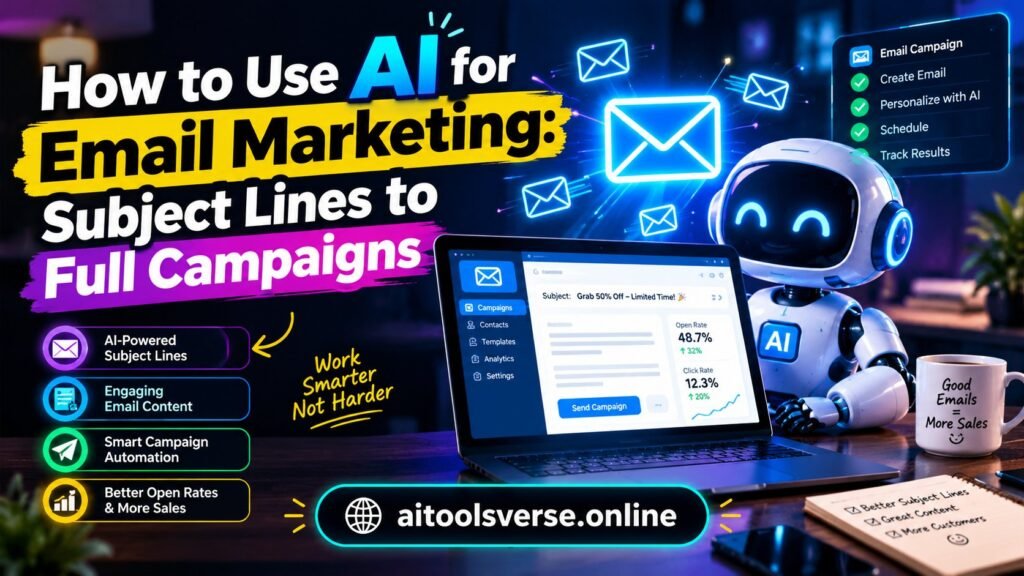
A blank email draft, a messy subscriber list, and a campaign that has to go out tonight: that is exactly where AI for email marketing earns its keep. Not by replacing the marketer, but by doing the heavy lifting — sorting the list, drafting the first version, picking a decent send time, and learning from what people actually open.
Let us be honest about what AI does well here. It is brilliant at patterns. It can look at thousands of past opens and clicks and notice that your audience opens discount emails on Friday evenings but reads how-to emails on Tuesday mornings. It can rewrite one announcement into five tones — friendly, formal, funny, short, urgent — in under a minute. What it cannot do is know your customers the way you do. The best campaigns still start with a human decision: who is this email for, and what do we want them to do next?
Start with the list, not the writing
Most beginners open the AI writer first. That is backwards. AI for email marketing works best when the list is segmented first, because the same message never fits everyone. Split your list into at least three groups: new subscribers who have never bought, repeat buyers, and people who have gone quiet for 90 days. You can do this inside Mailchimp, Klaviyo or ConvertKit before a single word is written, and most of these tools now suggest segments automatically based on past behaviour.
Compared side by side, a segmented welcome series outperforms a single blast email by a wide margin every time. New subscribers got a short story about the brand and a 10 percent welcome code. Repeat buyers got early access instead of another discount. Quiet subscribers got a simple “we miss you, want to stay?” note. Same product, three different conversations, and the AI only helped word each version. If you are a beginner, start with segmentation before you spend a rupee on fancy AI features.
Subject lines: let AI brainstorm, you decide
Subject lines are where AI shines, because volume helps. Ask your AI tool for twenty subject lines for one email, then pick the two that sound most like you. A good prompt is specific: “Write 20 subject lines under 50 characters for a handmade soap sale, warm tone, no clickbait, no exclamation marks.” Vague prompts give vague lines. Always read them out loud. If a line sounds like something you would never say to a customer face to face, delete it.
One habit worth building: test two subject lines on a small slice of your list before sending to everyone. Most email platforms call this A/B testing, and it takes about three extra clicks. On a side-by-side comparison, the AI’s favourite line wins only about half the time, which is precisely why testing matters. Your audience’s taste beats the model’s guess.

From one draft to a full campaign
Here is a workflow that actually works for a small team. First, write a rough brief yourself: the offer, the deadline, the one action you want. Second, let the AI expand that brief into a full draft, a short version for mobile readers, and three subject lines. Third, edit ruthlessly — cut every sentence that does not help the reader decide. Fourth, add one personal detail the AI could not know, like a customer story or a photo from your shop. That last step is what stops the email feeling mass-produced.
You can also use AI across the whole campaign, not just one email. A welcome series, a cart-abandonment reminder and a post-purchase thank-you can all share the same voice if you feed the AI your best past emails as examples. Tools like Mailchimp and Klaviyo now build these flows with AI suggestions baked in, and Mailchimp’s own guides explain the automation basics clearly. If you run a small business, our guide on AI tools for small businesses that save hours every week pairs well with this one, because email is usually the first workflow worth automating.
Personalisation without being creepy
There is a line between helpful and creepy, and AI crosses it easily if you let it. Using someone’s first name and recommending a product they actually browsed is helpful. Mentioning their location, their age and their last three purchases in one paragraph is not. A good rule: personalise one thing per email, and make it something the customer would happily tell you themselves.
Timing is the quieter form of personalisation. AI send-time optimisation looks at when each subscriber usually opens and staggers delivery accordingly. It sounds minor, but for a list of a few thousand people it can lift opens noticeably. Do not obsess over it in week one, though. A good email sent at an average time beats a mediocre email sent at the perfect minute.
What to measure, and what to ignore
Open rates are noisier than they used to be, because Apple Mail privacy protection inflates them. Pay more attention to clicks and replies. If 100 people open and 12 click, that email did its job. If 400 people open and nobody clicks, the subject line was better than the email, and that is a content problem, not a deliverability problem. Track unsubscribes too: a small spike after a campaign is normal, but a steady climb means you are sending too often or to the wrong people.
Freelancers take note — email is one of the most sellable AI services right now. Clients will pay for someone who can set up their flows and write their sequences, which is why our guide to AI tools for freelancers includes email as a core offer. And if you are weighing free versus paid tools for the whole stack, read Free vs Paid AI Tools: When Is Paying Actually Worth It before you subscribe to anything.

Mistakes that hurt more than they help
The biggest mistake is sending AI drafts without editing. Readers can smell unedited AI text: the same sentence structure, the same safe adjectives, the same “in today’s fast-paced world” opening. Edit until it sounds like you on a good day. The second mistake is buying an email list and letting AI write to strangers — that damages your sender reputation and can get your domain blocked. Grow the list slowly, with permission. The third is over-mailing: AI makes it easy to send daily, but easy is not the same as welcome. Two good emails a week beat seven forgettable ones.
One more caution. Never paste your full customer list, with names and purchase history, into a public chatbot to “analyse” it. Use your email platform’s built-in AI, or a tool with a clear privacy policy, like those reviewed on Klaviyo’s site. Customer data is trust, and one careless paste can break it.
A simple 7-step starter plan
- Clean your list and create three basic segments.
- Pick one campaign: a welcome series is the best first project.
- Write the brief yourself, then let AI draft the emails.
- Edit every draft until it sounds human, then add one real detail.
- A/B test two subject lines on a small sample.
- Send, then check clicks and replies, not just opens.
- Repeat what worked, drop what did not, and only then add a second flow.
Frequently asked questions
Is AI email marketing free? The writing help inside tools like Mailchimp’s free plan covers small lists, but larger lists and advanced automation are paid. Start free, upgrade when the list earns its keep.
Will AI emails land in spam? AI text alone does not cause spam filtering. Bad lists, misleading subject lines and too-frequent sending do. Keep your list clean and your promises honest.
Do I still need to write anything myself? Yes — the brief, the final edit and the personal details. AI gives you a strong first draft; your judgment makes it worth sending.
Email marketing used to reward whoever could write the fastest. Now it rewards whoever understands their readers best and uses AI to serve them better. Start with one flow, measure honestly, and let the results decide what you automate next.