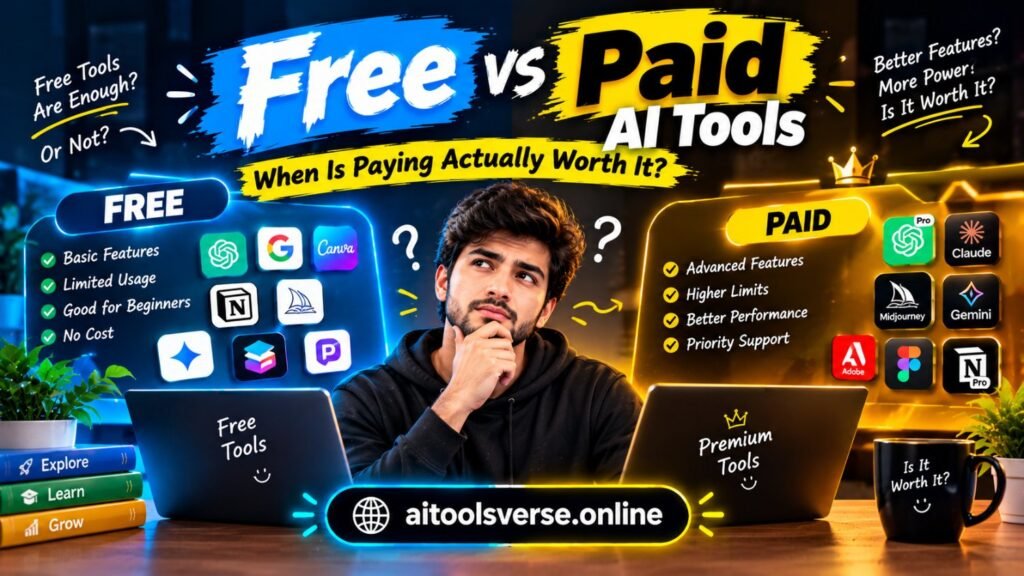
Honestly, every AI tool seems to give you two doors these days — a free plan that promises plenty, and a paid plan that promises even more. But the free vs paid AI tools question isn’t really about which door is ‘better’ in some abstract sense. It’s about the work you actually do, how often you do it, and what happens when you hit a limit at the worst possible moment. Think about it: a student writing one essay a week, a YouTuber publishing daily, and a small business answering customers all day need completely different answers — even if they’re using the very same tools. That’s what this free vs paid AI tools guide is for: comparing what free plans really give you, what paid plans unlock, and the simple tests that tell you when paying is worth it — and when it’s just another monthly bill you don’t need.
Quick Verdict: Free vs Paid AI Tools at a Glance
Put simply, free AI tools are plenty for learning, the odd bit of use, and testing whether a tool actually fits how you work. Paid AI tools, on the other hand, earn their keep when you use a tool every day, need faster or better-quality output, or rely on it for work that brings in money. Free plans are limited on purpose, of course: fewer credits, slower generation, older models, usage caps, and sometimes no commercial rights. Paid plans take those limits away and add the newest models, priority speed, bigger allowances, and extras like custom voices, avatars, or team collaboration. If a tool saves you several hours a week or helps you earn directly, its paid plan usually pays for itself. Open it twice a month, though, and the free plan is almost always the smarter call. The rest of this free vs paid AI tools comparison shows you how to judge each tool on its own merits, rather than just guessing.
What Free AI Tools Actually Give You
Free AI tools are far more generous than they used to be, which is exactly why the free vs paid AI tools decision feels so tricky. A free chatbot can answer questions, draft emails, summarise articles, and explain difficult topics. A free image generator can produce usable blog graphics, and a free voice tool can narrate a short video. For a beginner, that’s often everything you need to learn the tool and produce real work. Free AI tools are also the best way to test a tool before committing: you learn its strengths, its quirks, and whether you actually enjoy using it, without spending a penny. But free plans always have a ceiling — and that ceiling is the business model. Most cap how much you can generate each day or month, through credits, tokens, or a message limit. They may run a slower or older model, queue you behind paying users at busy times, watermark images or videos, or limit export quality. Some also restrict commercial use, which matters the moment your content starts earning money. None of that makes free tools bad — it makes them samples. They show you what a tool can do, and they’re genuinely useful for light, personal, or experimental work. They’re just not built to carry a full-time workload. As a rule, start with the free plan first, before spending anything. If you are just starting out, begin with our tour of the world of free AI tools before you spend anything.
What Paid Plans Actually Unlock
Paid plans unlock three things: more, faster, and better. More means bigger credit allowances, higher daily limits, longer outputs, and fewer interruptions. Faster means priority processing, so you’re not stuck in a queue when a deadline is close. Better means access to the newest and most capable models, higher-resolution images, more natural voices, longer videos, and advanced features like custom avatars, brand voices, team workspaces, and API access. Paid plans also usually include commercial-use rights, which is the difference between a hobby project and a product you can actually sell. How much those upgrades matter depends entirely on volume and stakes. A paid writing tool that produces a sharper first draft matters little if you write one post a month — but it matters a great deal if you write five posts a week and every draft needs less editing. A paid video tool’s faster rendering matters little for a monthly video, but enormously for a daily channel. So when you judge a paid plan, ignore the feature list and ask a simpler question: does this upgrade save me time, improve quality my audience will notice, or remove a limit I actually hit? If the answer is no, the plan isn’t worth it yet, however impressive it sounds.
The Real Cost: Credits, Limits and Hidden Charges
The headline price is rarely the whole story — and that’s why this free vs paid AI tools comparison needs a careful look at credits. Many tools sell a monthly allowance, and different tasks eat credits at different rates: a long video costs far more than a short one, a high-resolution image more than a standard one, and regenerating a result you dislike spends credits too. So a plan that looks generous can run dry halfway through the month if your workflow involves plenty of trial and error. Before you subscribe, estimate your real monthly usage: how many posts, images, videos, or minutes will you actually produce, and how many attempts does each one usually take? Then check the hidden costs. Some tools charge extra for commercial use, for removing watermarks, for higher resolution, for team seats, or for API access. Others charge per seat, so a three-person team pays three times the advertised price. Free plans have hidden costs of a different kind: your time. Waiting in queues, working around daily caps, splitting long tasks across days, and redoing work when a free model produces weaker output all cost hours. A paid plan at twenty dollars a month is cheap if it saves you ten hours; it’s expensive if it saves you ten minutes. Do the maths for your own workload, not for the marketing page’s example user.
When Free Is Enough: Five Clear Cases
Free is enough when your use is light, occasional, or experimental. First, when you’re still learning a tool: use the free plan for a few weeks, learn its prompts and limits, and only pay once you know it fits. Second, when you use a tool less than a few times a week for personal projects, schoolwork, or hobbies — the free allowance usually covers that comfortably. Third, when the free output is already good enough for your audience: a blog graphic that looks fine at free resolution doesn’t need a paid upgrade. Fourth, when you use several tools for different jobs and no single tool carries your whole workflow; paying for all of them would cost more than the value any one of them adds. Fifth, when your budget is genuinely tight: free tools plus your own editing skill can produce excellent work, and spending money you don’t have on a tool you barely use is never a good trade. In all five cases, the smart move is to keep the free plan and invest your time instead: learn better prompts, build templates, and edit results carefully. If you’re a beginner, start with the free plan and give yourself time — that’s the advice we kept coming back to. Many creators overestimate how much a paid plan will help and underestimate how much prompt skill and editing already help. Our comparison of ChatGPT vs Gemini vs Claude shows how much the free versions of the leading chatbots can already do, and it’s a good benchmark before you pay for any chatbot upgrade.
When Paying Is Actually Worth It: Five Clear Cases
Paying is worth it when the tool is central to work you do often, or work that earns money. First, daily professional use: if you open a tool every working day, even a small speed or quality gain compounds into hours saved each month. Second, commercial work: if clients pay you for output, a paid plan’s commercial rights and higher quality protect both you and your client, and the cost is a business expense, not a luxury. Third, deadlines and volume: a channel publishing daily, a freelancer handling several clients, or a team producing training videos cannot afford daily caps and queues. Fourth, quality that your audience can see or hear: for published music, video, or voice work, the difference between a free and a paid model is often audible or visible, and audiences notice. Our Suno vs Udio comparison makes that point for music, where vocal quality alone can justify a paid plan for serious creators. Fifth, features you cannot get any other way: a custom avatar, a brand voice, or a team workspace may only exist on a paid tier, and if your product needs it, there is no free substitute. Here’s a useful rule of thumb: pay when the tool either earns you money or saves you at least three times its monthly cost in time. If a twenty-dollar plan saves you three hours a month and your time is worth more than seven dollars an hour, it pays for itself. If it saves you thirty minutes, it doesn’t. Apply that test tool by tool, and you’ll end up paying for two or three tools you truly use, not ten you merely like.
A Simple Decision Framework: Five Questions Before You Pay
Before you subscribe to anything, answer these five questions honestly. One, how many times a week will I actually use it? Fewer than three, and you should start free. Two, what exact limit am I hitting — credits, speed, quality, or a missing feature? Pay only for the limit you hit; a faster plan won’t fix a quality problem. Three, does the paid plan change what I can sell or publish? Commercial rights alone can justify a subscription for a freelancer, even a light user. Four, have I tried the free plan properly, with good prompts and editing, for at least two weeks? Plenty of ‘free isn’t enough’ complaints disappear once prompting improves. Five, what will I stop paying for if I start this? A subscription budget forces choices, and those choices are the whole point: two excellent paid tools beat eight mediocre subscriptions every time. Run this framework once a quarter. Tools change their plans, your workload changes, and a plan that was worth it six months ago may not be worth it now. Cancel ruthlessly: a paused subscription can always be restarted, but months of unused payments never come back. Set a calendar reminder to review every AI subscription, and treat that review as part of your workflow, not an afterthought.

Common Traps in the Free vs Paid AI Tools Debate
The first trap is paying for everything at once. New creators often subscribe to a writing tool, an image tool, a video tool, and a voice tool in the same week, then use each one twice. Start with one paid tool — the one you use most — and add others only when a free plan genuinely blocks you. The second trap is confusing a free trial with a free plan: a trial gives you paid features for a few days, then takes them away, which can make the free plan feel worse than it is. Judge the free plan on its own terms, after the trial ends. The third trap is lifetime deals and annual plans bought before you know a tool: an annual plan saves money only if you still use the tool in month nine, and many tools change or decline within a year. Prefer monthly billing until a tool has earned a full quarter of daily use. The fourth trap is ignoring the free tier of a competitor. Sometimes the right answer is not to pay for tool A, but to use tool B free: our Jasper vs Writesonic vs Rytr comparison shows how three writing tools differ in price and strengths, and for a beginner on a budget, the cheapest capable option often beats the most famous one. The fifth trap is paying to avoid learning: a paid plan will not fix vague prompts, unchecked facts, or unedited drafts. Spend an hour learning to prompt well before you spend money hoping a better model will do it for you.
Final Verdict: Free vs Paid AI Tools
Our final verdict in this free vs paid AI tools comparison is simple: start free, pay for proven value, and review regularly. Free AI tools are genuinely powerful today, and they’re enough for learning, occasional work, and testing. Paid AI tools are worth it the moment a tool saves you real time, improves quality your audience notices, removes a limit you actually hit, or gives you the commercial rights your work needs. The mistake is not choosing free or paid — it’s choosing without measuring. Track how often you use each tool, what limit you hit, and what the upgrade would actually change, and let those answers decide. Do that, and you’ll spend less, produce more, and never wonder whether you’re paying for tools you don’t need. For a practical next step, learn how to use ChatGPT for blogging with our step-by-step guide, which shows how to get professional results from a chatbot before you spend anything on upgrades.
For freelancers, our guide to AI tools for freelancers shows how this start-free approach works for proposals, invoices, design and delivery.
Frequently Asked Questions
Are free AI tools good enough for professional work?
Often, yes — for lighter professional work, at least, especially if you prompt carefully and edit properly. Where free tools start to pinch is volume, speed, commercial rights, or top-tier quality. Once one of those really matters, that’s when a paid plan starts to earn its cost. It’s a good example of the free vs paid AI tools question in practice: the plan matters less than how you use it.
When should a beginner pay for an AI tool?
Give it at least two weeks of regular free use first. By then you should be able to name the exact limit you keep hitting — and check that the paid plan actually removes it. Paying earlier usually just means paying for features you haven’t learned to use yet. That habit alone answers most free vs paid AI tools questions before they cost you anything.
Is it better to pay for one expensive tool or several cheap ones?
One tool you use every day beats several you barely touch. Build your stack around your main workflow first, then add a second paid tool only when its free plan genuinely blocks real work. In the free vs paid AI tools debate, that’s the simplest rule worth keeping.
Do paid AI tools guarantee better content?
No — and this is the bit that trips people up. Paid models do tend to produce stronger first drafts, but facts still need checking, drafts still need editing, and a weak prompt still produces weak output on any plan. Skill matters more than subscription tier, every time. So when you weigh free vs paid AI tools, judge the output — not the price tag.
When you weigh free vs paid AI tools for your own workflow, let measured use — not marketing — make the call. Reviewing your free vs paid AI tools stack each quarter is the simplest way to keep costs low and quality high.
For a small-business example, see our guide to 12 AI Tools for Small Businesses That Save Hours Every Week.