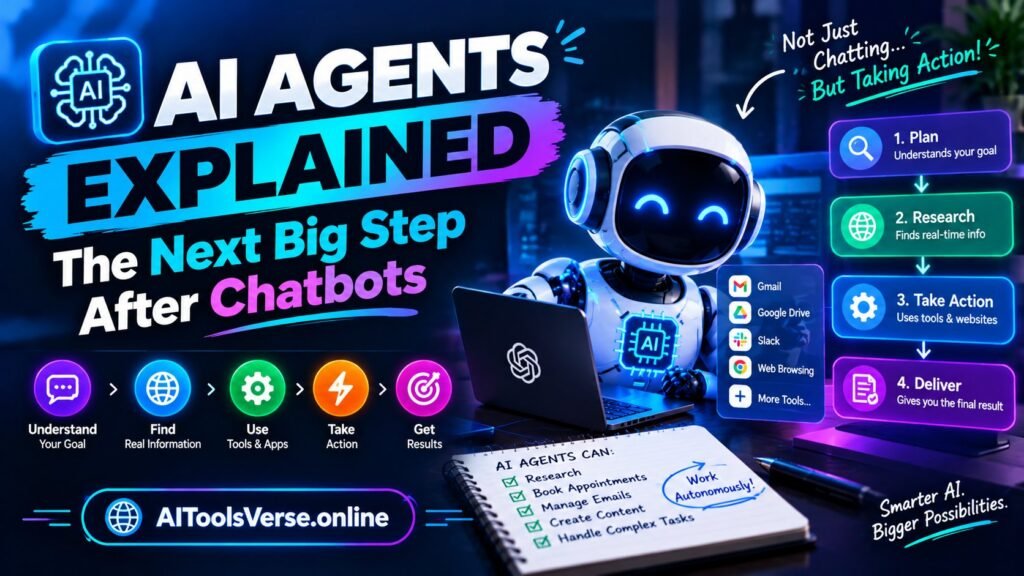
Imagine telling an assistant, “Plan my trip to Islamabad next weekend, under 40,000 rupees, and book the hotel,” and instead of getting a list of suggestions, you get a confirmation. The assistant checked train times, compared hotels, read the cancellation policies, and booked the one that fit. That is the promise of AI agents, and it is why everyone in tech is suddenly talking about them. A chatbot answers you. An AI agent acts for you.
So let us get AI agents explained properly, without the hype. An AI agent is a system built around a language model that can perceive a goal, make a plan, use tools, and carry out steps on its own, checking its progress as it goes. The chatbot is still inside it, doing the thinking and writing. The new part is everything around the chatbot: the ability to browse, run code, call other apps, remember context, and keep going until the job is done or it gets stuck.
Table of Contents
Chatbot vs agent: the real difference
A chatbot is reactive. You ask, it answers, and the conversation ends there. An agent is proactive across multiple steps. Give it a goal and it breaks the goal into steps, tries the first step, looks at the result, adjusts, and continues. If a website blocks it, it tries another source. If a price is too high, it revises the plan. That loop — plan, act, observe, adjust — is what turns a talker into a doer.
A useful test: if the system only produces text for you to act on, it is a chatbot, however smart. If it takes actions in the world on your behalf — sending emails, filling forms, moving files, placing orders — it is acting as an agent. Many products sit in between, drafting the email but waiting for your approval before sending. That middle ground, sometimes called “human in the loop,” is where most trustworthy agents live right now.
How an agent works, step by step
Under the hood, an agent usually has four parts. The model does the reasoning and language. The tools give it hands: web search, a calendar, a spreadsheet, a code runner, or an app’s API. Memory keeps track of what it has already done and learned in this task, so it does not repeat itself. And a set of rules or guardrails decides what it is allowed to do alone and what needs your approval. When you give it a goal, it plans, picks a tool, acts, reads the result, and repeats.
Here is a concrete example. A research agent asked to “compare three noise-cancelling headphones under $150” might search reviews, open the top pages, extract prices and battery life into a table, notice one price is outdated, search again to confirm, and then present the table with sources. You could do all that yourself in an hour. The agent does it in minutes, and — crucially — shows its work so you can check it.

Where agents are already useful
Coding is the most mature area: agents that fix bugs, write tests and update documentation across a whole project. Customer support is next — agents that look up your order, check the return policy and issue a refund, instead of just linking to the policy page. Our guide on AI chatbots for customer support shows the simpler end of this, and agents are the next step up. Research assistance, scheduling, data entry and social media planning are all strong fits, because they involve many small steps that follow rules.
For everyday users, the most practical agents today are the ones inside tools you already use: an email tool that drafts and files messages, a spreadsheet assistant that cleans a messy sheet, a travel planner that holds options while you decide. If you want the background concepts first, read what is generative AI and what is a large language model — both published alongside this post — and our guide to automating repetitive work with AI for workflows you can set up this week.
The limits nobody should skip
Agents fail in ways chatbots do not. A chatbot’s bad answer costs you a minute. An agent’s bad action can send the wrong email, book the wrong date, or delete the wrong file. They get stuck in loops, repeating a failed step. They misunderstand vague goals — “sort out my inbox” could mean archive, delete or reply, and each is very different. They also inherit the model’s habit of confident guessing, now with tools attached.
That is why the sensible rule is: let agents act freely on reversible, low-stakes tasks, and require approval for anything expensive, public or permanent. Check the agent’s log before trusting its summary. Never give an agent your passwords or full payment access unless the product is built for it and you understand the safeguards. OpenAI’s agent guides and Microsoft’s AI explainers both stress the same point: the human stays responsible for what the agent does.
A beginner’s way to start
Pick one repetitive, low-risk task: sorting receipts, drafting weekly reports, or researching suppliers. Use an agent feature inside a tool you already trust, set clear limits (“draft only, do not send”), and review its first ten runs closely. Keep a note of where it went wrong — the pattern of failures tells you more than the successes. Only then widen what it is allowed to do alone.
Frequently asked questions
Are AI agents the same as robots? No. Most agents are pure software. A robot is a physical machine; an agent is the software brain that could, one day, drive one.
Will agents replace jobs? They will replace tasks first — the repetitive steps inside jobs. People who learn to supervise agents well will be more productive; people who ignore them will find the work changing around them.
Should I trust an agent with my email? Start with read-and-draft permissions only. Sending, deleting and paying should stay approval-based until you have seen it behave well for weeks.
AI agents are not science fiction anymore, but they are not reliable colleagues yet either. Think of them as eager interns with powerful tools: impressive when supervised, risky when left alone. Set the goal clearly, check the work, keep the big decisions yours, and they will save you real time.
For a friendlier, character-led example of conversational AI, see Character AI Explained: Chat With AI Characters Safely.