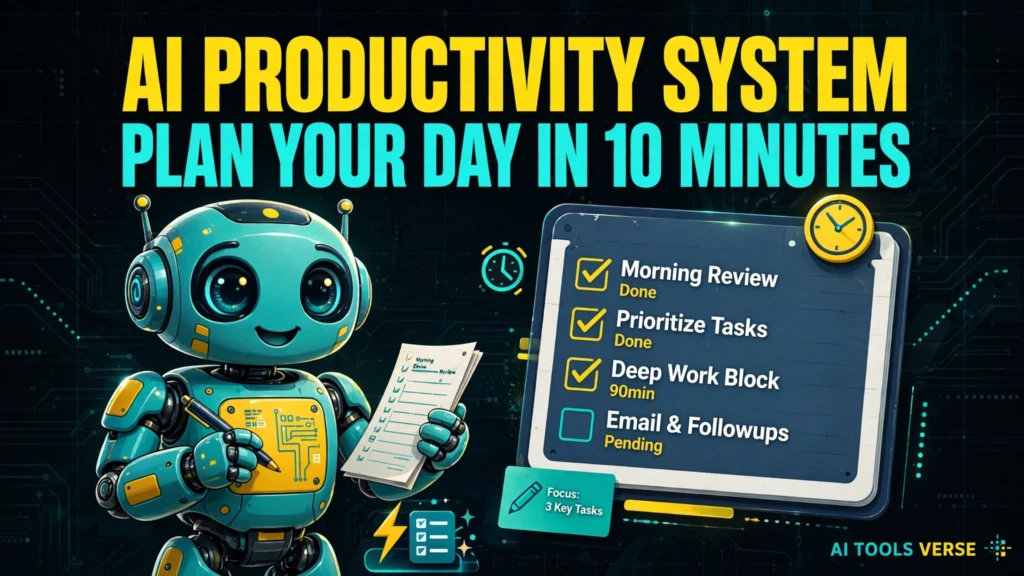
I used to start every morning the same way: staring at a to-do list that was really a guilt list, reorganising it for twenty minutes, and then doing the easiest thing on it first. By lunch I’d done a lot of small things and none of the important ones. The fix, when I finally found it, wasn’t a fancier app. It was a ten-minute routine with an AI assistant — an AI productivity system in the most boring, useful sense of the word: a system, not a tool.
Here’s the promise, kept deliberately small: ten minutes in the morning, and you finish the day having done the two or three things that actually mattered. Not ten things. Not inbox zero. Just the important ones, done before the day fills up with other people’s priorities. This AI productivity system is deliberately simple, so it survives busy days.
Minute 1–3: dump everything out
Open a notes app or a chat window and brain-dump. Everything on your mind — the report, the reply you owe, the appointment to book, the idea for next week, the thing you forgot yesterday. Don’t organise yet, don’t prioritise, don’t judge. Just get it out of your head and onto the screen. A long, messy list is fine; a tidy list at this stage is usually a lie, because you’ve already started avoiding the hard items.
Then paste that dump into your AI assistant with one instruction: “Sort this into three groups: must do today, should do this week, and later or never. Flag anything that looks like it depends on someone else.” The grouping matters more than the tool. Most days, the “must do today” group is embarrassingly small — two or three items — and seeing that is the whole point. Our guide to automate repetitive work makes the same argument at a bigger scale: the win isn’t doing more, it’s removing the decisions that eat your morning.
Minute 4–6: pick your three, and put them in order
Ask the AI to draft a day plan around your three must-dos, with realistic time blocks. Then — and this part is yours, not the AI’s — check it against reality. Does the plan survive your actual calendar? Does it leave room for lunch, for the meeting that always overruns, for the fact that you’re slower before coffee? Edit ruthlessly. A plan you won’t follow is worse than no plan, because it teaches you to ignore your own plans.
A useful trick: ask the AI to phrase each of your three tasks as a finished state, not an activity. Not “work on report” but “report draft sent to Sara by 4pm”. Finished states are checkable; activities expand to fill the whole day. If you use Notion, its AI features can turn a rough plan into a tidy task list in seconds — our Notion AI vs ChatGPT comparison looks at where each tool actually helps with this kind of planning.

Minute 7–10: clear the small stuff, then stop
Use the last minutes for the quick wins the AI surfaced: the two-minute email, the booking, the message you’ve been putting off. Batch them, do them fast, and then close the planning. Ten minutes, done. The system works because it ends. A productivity routine that takes an hour is a hobby, not a system, and hobbies don’t survive busy Tuesdays.
One more habit that makes the whole thing stick: at the end of the day, spend two minutes telling the AI what actually happened. “Did the report, missed the call, the meeting moved.” That short review turns tomorrow’s plan from a guess into something based on evidence, and over a week it reveals patterns — the task you always postpone, the time of day you actually focus — that no amount of staring at a list would show you.
How the AI productivity system works in practice
This AI productivity system works because it limits the decision to three tasks, in order, before the day starts, and then it stops.
A template you can copy
Try this prompt tomorrow morning, with your own dump pasted in: “Here is everything on my mind today. Sort it into must-do today (max 3), this week, and later. Then draft a schedule from 9am to 5pm with my three must-dos first, a lunch break, and two 30-minute buffers. Flag anything that needs someone else’s reply before I can start it.”
If the answer is vague, add one detail — a deadline, a name, a time — and ask again. Prompting is a skill, and our prompt engineering basics is a friendly place to build it; the difference between a useless plan and a good one is usually one specific sentence in the prompt. After a week with this AI productivity system, you will know which of your three tasks usually slips, and you can plan around it.
What this system won’t do
It won’t make a bad job good, or create hours that don’t exist. If your day is genuinely overloaded, no AI plan fixes that — it only makes the overload visible, which is still useful, because visible overload can be negotiated, delegated, or cut, while invisible overload just burns you out quietly.
And it won’t replace judgement: if the AI suggests you spend your best morning hour on emails, override it. You know your energy better than any model does. Used this way, an AI productivity system makes overload visible instead of hiding it.
Frequently asked questions
Do I need a paid AI tool for this?
No. Any decent free chatbot handles the sorting and scheduling part. Paid tools help if you want the plan inside your notes app automatically, but the routine itself costs nothing. The routine itself is the AI productivity system, not the app you run it in.
What if my day falls apart by 10am?
Then the system did its job anyway: you still know your three must-dos, so you can re-plan around the disruption instead of drifting. Re-run the prompt at lunch with what’s left — it takes two minutes.
Is this just another to-do list?
It’s a to-do list with a decision made first: what matters today, and in what order. That decision, made in the morning before the world votes on your time, is the entire system.
Ten minutes, three tasks, one honest review at night. That’s the whole AI productivity system, and it’s lasted longer for me than any app I’ve bought — because the app was never the point. The point was deciding, before the day decides for you.
Further reading: Notion’s AI features at https://www.notion.so/ and Todoist’s task planning at https://todoist.com/