AI tools for freelancers: contents
Freelancing has a dirty secret: the work clients pay for is maybe half your week. The rest is proposals, chasing invoices, admin, revisions, and the endless back-and-forth that nobody puts on an invoice. That’s exactly where AI tools for freelancers pay for themselves. Not by doing your craft for you — clients can tell — but by shrinking everything around it.
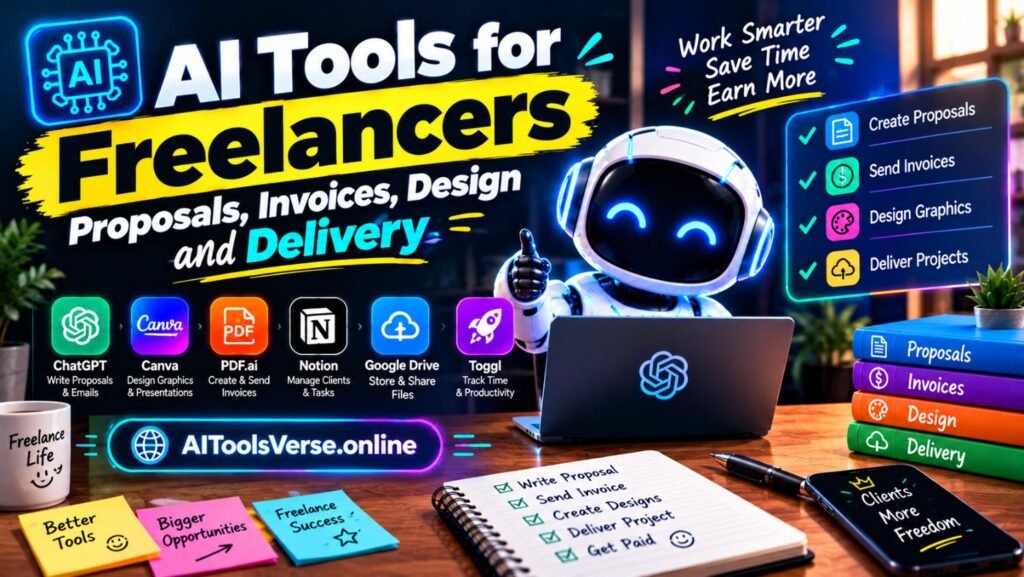
I’ve watched freelancers go from drowning in admin to having actual evenings again, and the pattern is always the same: they didn’t buy twenty tools. They fixed four jobs — winning work, getting paid, making things look good, and delivering smoothly. Let’s walk through each. In this guide, AI tools for freelancers are grouped by the job they fix, so you can start with just one.
Winning work: proposals that don’t eat your Sunday
A good proposal is specific, fast, and confident. AI helps with the first draft and the structure, not the thinking. Here’s a workflow that works:
- Feed ChatGPT or Claude your notes from the discovery call, plus the client’s website, and ask for a proposal outline: problem, approach, deliverables, timeline, price options.
- Edit it hard. Replace every generic sentence with something only you could write about this client. That’s what wins jobs — the AI just saved you the blank-page hour.
- Tools like Better Proposals or PandaDoc add templates, e-signatures, and read notifications, so you know when a client actually opened your proposal instead of wondering for a week.
One honest warning: never send an AI proposal unedited. Clients spot template language instantly, and a proposal that could be for anyone convinces no one.
Getting paid: invoices without the chase
If you hate invoicing, you’re normal. But late invoices are the number one cash-flow killer for freelancers, and AI tools for freelancers have quietly fixed most of the pain:
- Wave (free) and QuickBooks Self-Employed generate invoices from your time entries and send polite automatic reminders. The reminder email you kept putting off? It sends itself now.
- AI categorisation sorts your expenses, so tax season stops being a month of detective work.
- For international clients, tools like Wise pair well with your invoicing app and cut transfer fees that quietly eat your rate.
Set one rule and keep it: invoice the day you deliver, every time. The tools make that a five-minute job instead of a Sunday-night chore.
Design: looking like a studio when you’re a team of one
You don’t need to be a designer to deliver work that looks designed. Canva Magic Studio (Canva itself) handles social graphics, presentations, and simple brand assets with AI resizing and background removal — our Canva Magic Studio guide covers the features freelancers use most. For images, Adobe Firefly generates commercial-safe visuals you can actually use in client work; our Adobe Firefly guide explains the licensing angle that matters here. And if a client needs a logo refresh, Ideogram’s text-accurate image generation is worth trying — see our Ideogram guide.
The rule I give every freelancer: use AI for the first version and the fiddly production work, but keep your taste in charge. Clients pay for judgement, not for software output.
Delivery: the unglamorous part clients remember most
Clients judge freelancers less on talent than on reliability. Did you reply fast? Did you deliver on time? Did the files arrive organised? AI helps here in small, compounding ways:
- Notion AI turns chaotic project notes into a clean delivery checklist and status updates you can paste into an email. Our Notion AI explained guide shows how writers and solo operators use it.
- Otter.ai transcribes client calls, so “we agreed on three revisions” is written down, not remembered differently by two people.
- Descript makes revision rounds painless for audio and video work — clients comment on a transcript, you edit the text, the media follows. Our Descript guide walks through it.
- Grammarly polishes client-facing messages so a tired 11pm email doesn’t undo a great week’s work; compare options in our Grammarly vs QuillBot vs LanguageTool comparison.
Pricing and positioning: use AI as a research assistant, not an oracle
Ask AI tools to research going rates in your niche, summarise what competitors offer, and draft three pricing tiers. Then sanity-check everything against real conversations with real clients. AI is great at finding patterns; it’s terrible at knowing what your specific clients will pay. Use it to prepare, then trust your own judgement in the room.
A starter stack that costs almost nothing
If you’re starting from zero, here’s the stack I’d suggest: ChatGPT (free) for drafts and proposals, Wave (free) for invoicing, Canva (free) for design, Notion (free) for project tracking, and Grammarly (free) for polish. Total cost: nothing, until one of them earns its paid tier. That’s the test — pay only when a tool is already saving you measurable time. Our free vs paid AI tools guide has a simple framework for that decision, and if you’re also running a small business on the side, our guide to AI tools for small businesses covers the overlap. That is why AI tools for freelancers work best when you adopt one tool at a time.
What AI should never do in your freelance work
Don’t let AI write the core creative work a client hired you for and pass it off as yours. Don’t feed a client’s confidential material into a public AI tool without checking its data policy — or better, without asking the client. And don’t automate your relationships: a personal check-in beats an automated “just following up” every time. The tools are there to buy you time for the human parts, not to replace them.
Freelancing gets better when the admin shrinks. Pick one job — proposals, invoicing, design, or delivery — fix it this week with one tool from this list, and notice how much lighter next week feels. Then fix the next one. That’s how AI tools for freelancers actually work: not as a revolution, but as a series of small, boring, wonderful time-savers that add up to a business you enjoy running.

If repetitive admin is eating your week, our guide to automate repetitive work with AI shows ten simple workflows you can start with this week.
If you are also job hunting alongside freelancing, see our AI tools for resume and job applications guide.